
Announcing React Native for Apple Vision Pro
Authors

Apple Vision Pro was announced on June 5, 2023, and soon after we started thinking of how we can run React Native on it. Spoiler: after a few months of hard work we did it!
You might have seen a lot of React Native apps running on Apple Vision Pro practically on the first day after the release of the visionOS developer SDK but they were running in so-called compatibility mode. The mode allows you to compile your app as it would target an iPad device and use it on visionOS.
However, this approach is very limiting. You can think of it as running an iOS app on macOS (using the same "Designed for iPad" compatibility layer), where app developers can't access any native macOS APIs exposed through AppKit (UI framework used on macOS).
The primary goal of bringing React Native to visionOS was to allow developers to leverage the full potential of the platform. The compatibility mode allows you to render boring rectangles floating in space when React Native visionOS allows you to leverage Immersive Spaces, volumetric windows and create XR experiences that "break" outside the bounds of your App.
How did we do it?
We partnered with Matt Hargett from Rebecker Specialties helping with their first spatial React Native app. However, before shipping any apps we needed to migrate the framework (and some third-party libraries). Here is a brief explanation of how we did it:
React Native visionOS is an out-of-tree platform that is essentially a fork of the React Native core, extending its possibilities to new platforms. Examples of such projects include React Native Windows, React Native macOS, and React Native tvOS.
Bringing this to a not-yet-released platform was quite a challenge because many necessary build tools weren't available. As an example, CocoaPods, a native dependency manager for iOS which is heavily used by React Native wasn't available (huge thanks to Gabriel Donadel for adding visionOS support to Cocoapods).
Creating an out-of-tree fork for an Apple platform is mostly based on adding compiler conditionals around code that's not supported on that platform. Many APIs don't have the logical equivalent for visionOS for example: there is no Status bar above your app so all of the code responsible for controlling the appearance and behavior had to be hidden behind an #if statement because it wouldn't compile.
Here is an example of this:
One of the most notable issues we ran into was the way React Native retrieves information about its main view dimensions on the native side. For most of the mobile devices out there, it's okay to assume that we have just one screen when running the app on iOS, therefore we can call [UIScreen mainScreen].bounds and retrieve the main screen's width and height.
However, on visionOS where apps launch into a "shared space" where each app is placed next to each other, we can't retrieve the window height and width by referring to the device's main screen. Therefore we needed to rewrite most of the logic related to retrieving screen dimensions, creating pull requests to React Native core along the way.
Here is an example of shared space mentioned above:

Also, we were missing a crucial component while working on this, we didn’t have the actual device (!). So all of the work was done entirely on Apple Vision Pro simulator. We look forward to testing it out on Apple’s headset soon 🥽
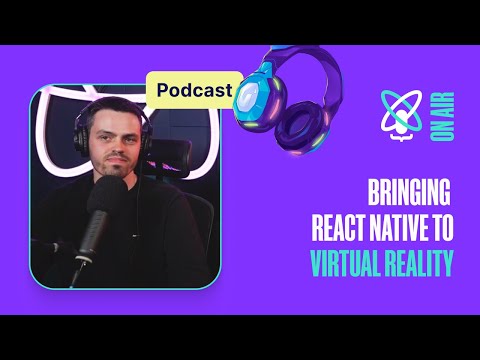
To hear the full story about the challenges of bringing React Native to visionOS, listen to our recent podcast:
Create your first React Native Spatial App
Prerequisites:
- Xcode 15.2 +
- visionOS simulator runtime
- CMake 3.28.0 +
- Apple Vision Pro is not required! (You can use a simulator)
To create a new project you can use the React Native Community CLI:
This will create a new project from visionOS template. Once you will go into the project directory, you will see a new folder named visionos next to the ios folder.
Firstly, let's install Cocoapods inside of visionos folder:
When the installation finishes, you can either open the project in Xcode by running (xed visionos) or use built-in CLI commands:
After the app launches, you should see "Welcome to React Native visionOS":

Check out the latest release (v0.73) of React Native visionOS.
Summary
We encourage you to try out React Native for visionOS and tell us what you think. Keep in mind that this project is still in its early stages and may have some rough edges. We are actively working on introducing new visionOS specific APIs to allow you to create feature-rich spatial apps that support multiple windows and spatial experiences. You can learn more on this topic in our next blog post.


