

Picture this scenario: It's Monday morning, and after grabbing your coffee, you walk into the office only to be confronted by your boss, visibly concerned about the app’s performance. They mention that the startup time is sluggish, and errors are piling up, leaving you scrambling for a solution.
Sound familiar? If you’ve ever been in a similar situation, you’re not alone. This post will guide you through addressing these challenges using Real User Monitoring (RUM). We’ll explore how RUM can be leveraged to optimize performance, detect issues before they escalate, and ultimately help you create software that not only runs smoothly but also contributes to your business goals.
What is Real User Monitoring (RUM)?
Real User Monitoring is a method of tracking user interactions within an application. It’s a way to identify frontend performance issues, measure trends, and ultimately improve the overall customer experience. But why do many companies still struggle with issues even after implementing RUM? The answer lies in understanding and acting on the data RUM provides.
Why RUM Often Falls Short
Many companies install monitoring tools and consider the job done. However, without customizing and actively analyzing the data, RUM won’t yield the desired results. It’s not enough to just gather data; the real value comes from converting that data into meaningful actions.

The Mechanics of RUM
RUM typically involves embedding small pieces of code in your application that act as virtual recorders. These record user actions—like clicking a button or making a purchase—along with information about the user’s environment, such as their device type. The data is then sent to a remote server, where it can be visualized and analyzed.
But remember, the data is only as valuable as your ability to respond to it. So, what’s the ultimate goal? To understand the end user’s experience with your app and turn that data into actionable insights.
Using RUM for Performance Optimization
Let’s dive into how RUM can be used for performance optimization. Imagine you’ve received a video showing the app’s startup time is painfully slow. Despite having monitoring tools like Instabug integrated, the app still performs poorly. What’s going on?
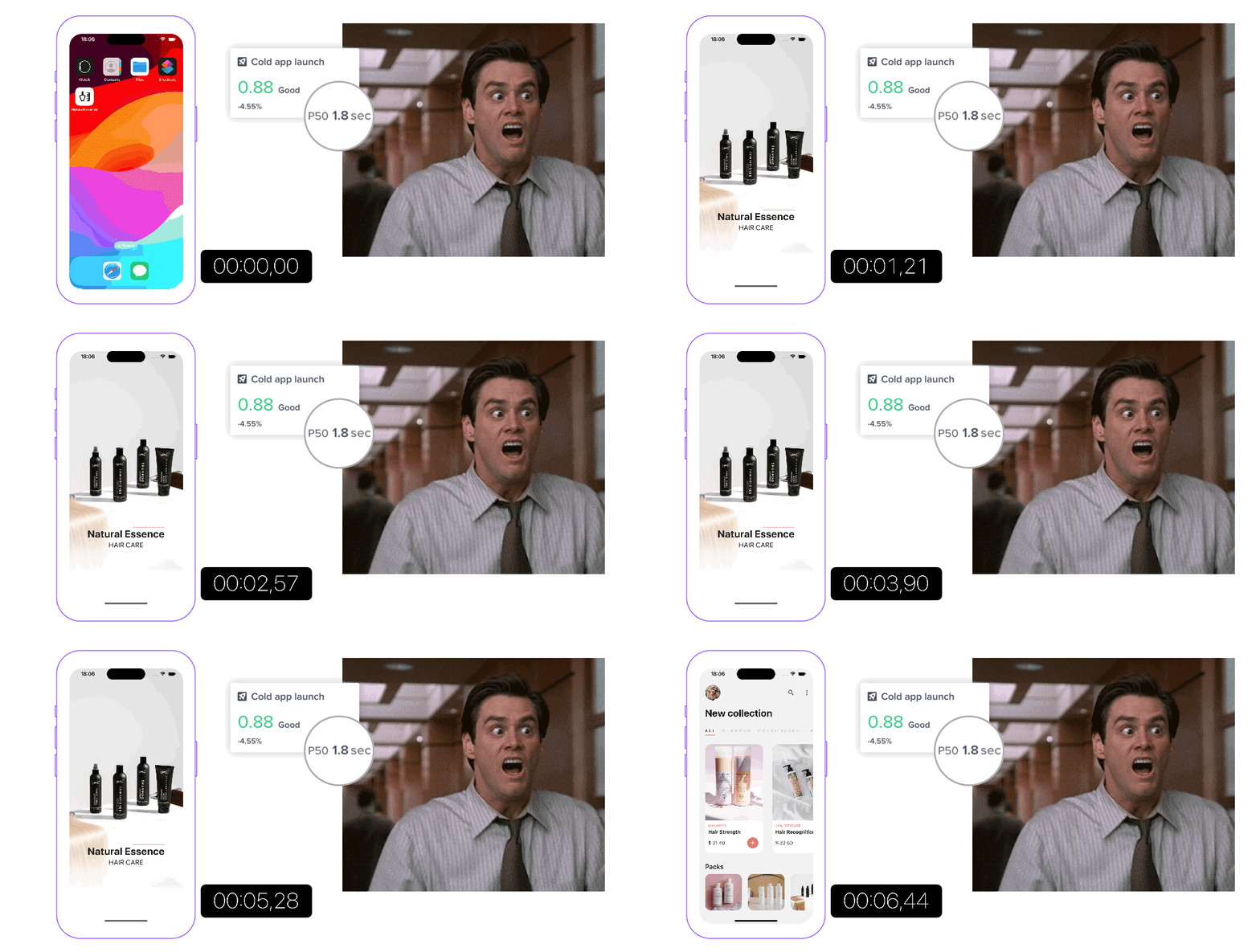
To effectively use RUM for performance optimization, we first need to understand the specific case. What initially seems like a complex problem can often be addressed by breaking it down into smaller, manageable parts. Let's go!
Startup Process: Divide and Conquer
Step 1: Analyzing Metrics Across Screens and Platforms
We begin by analyzing the app launch metrics. App behavior can vary greatly depending on the user’s state (e.g., logged in vs. logged out). Therefore, it’s crucial to map all potential landing screens and collect separate metrics for these cases. In our example, loading the feed screen for logged-in users takes significantly longer than accessing the login screen for new users.
Next, we dive deeper into the platform-specific performance. While differences across devices can be notable, in this case, both iOS and Android platforms show similar delays.

With that in mind, we need to look at our problems from a slightly different angle to solve them. We'll change the perspective, not the method. Breaking things down into smaller pieces is a highly effective method of performance optimization. So we'll split the metrics into smaller chunks and try to find the problematic areas.
Breaking down the app’s journey across different screens and platforms helps pinpoint the broader areas for improvement.
Step 2: Finding the bottleneck
Once we’ve isolated the screens and platforms, the next step is to segment the startup process into distinct phases. Every React Native app undergoes several universal steps before it becomes interactive. By dividing these phases, we can focus on each one individually:
- Native process creation
- Application setup
- JavaScript loading
- Rendering
Measuring the performance of each phase allows us to identify which parts of the process are causing delays. While React Native provides useful built-in markers, adding custom markers where necessary (using either native platform APIs or a lightweight JavaScript library) ensures thorough tracking across the entire startup flow.
Step 3: Methodical Optimization
By examining each phase individually, we can now apply optimizations strategically. Rather than addressing the entire startup process at once, we focus on the bottlenecks identified in each segment. This methodical breakdown ensures that our optimizations target the right areas without affecting other parts of the app unnecessarily.
For example, after collecting metrics, we might discover that fetching the feed data takes longer than expected, or that session restoration consumes more time than necessary. With these insights, we can implement specific solutions, such as lazy-loading SDKs, optimizing the file system interface, or parallelizing certain requests to reduce startup times.
Before we move on, let’s sum up what’s happened so far:
- By following this structured methodology, we first took the time to understand the problem, breaking it down into smaller, manageable parts.
- Through targeted optimizations, we addressed the specific bottlenecks affecting performance, particularly for logged-in users.
- As a result, the app now performs faster, with noticeable improvements in other scenarios as well.
This demonstrates how Real User Monitoring (RUM) not only helps identify issues but also supports performance optimization across different user journeys and platforms.
Problem Discovery with RUM
Another powerful use of RUM is problem discovery. In fast-moving development environments, things can break unexpectedly, leading to inconsistent user experiences.
Identifying Errors and Regressions
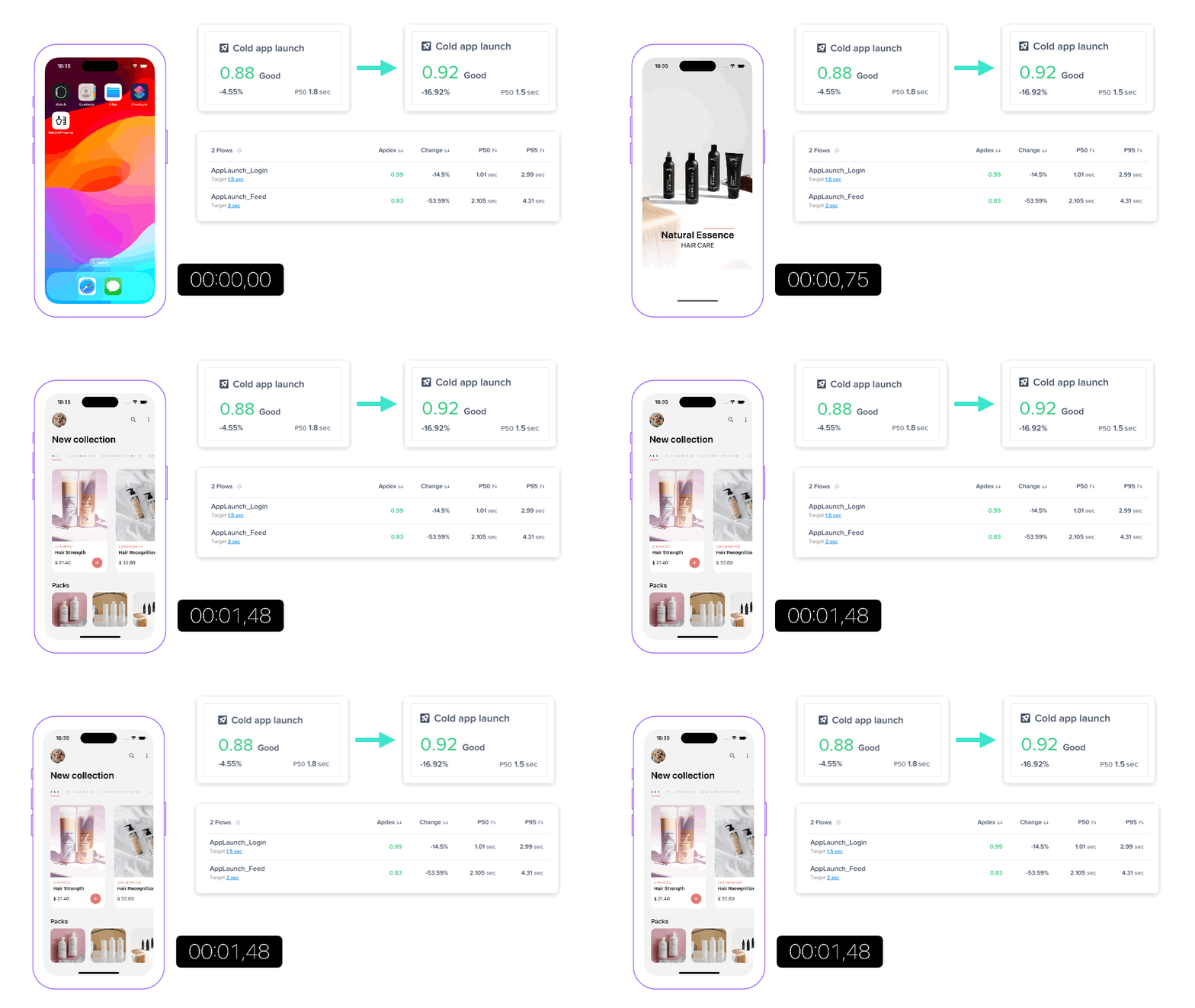
The user experience for the same product may vary for end users. In our example, the user with a different app version and a different device experiences slower load times for certain screens.

RUM tools can accurately measure how long it takes for a screen to become fully interactive. By comparing the performance of different app versions, you can identify the problematic changes and fix them.
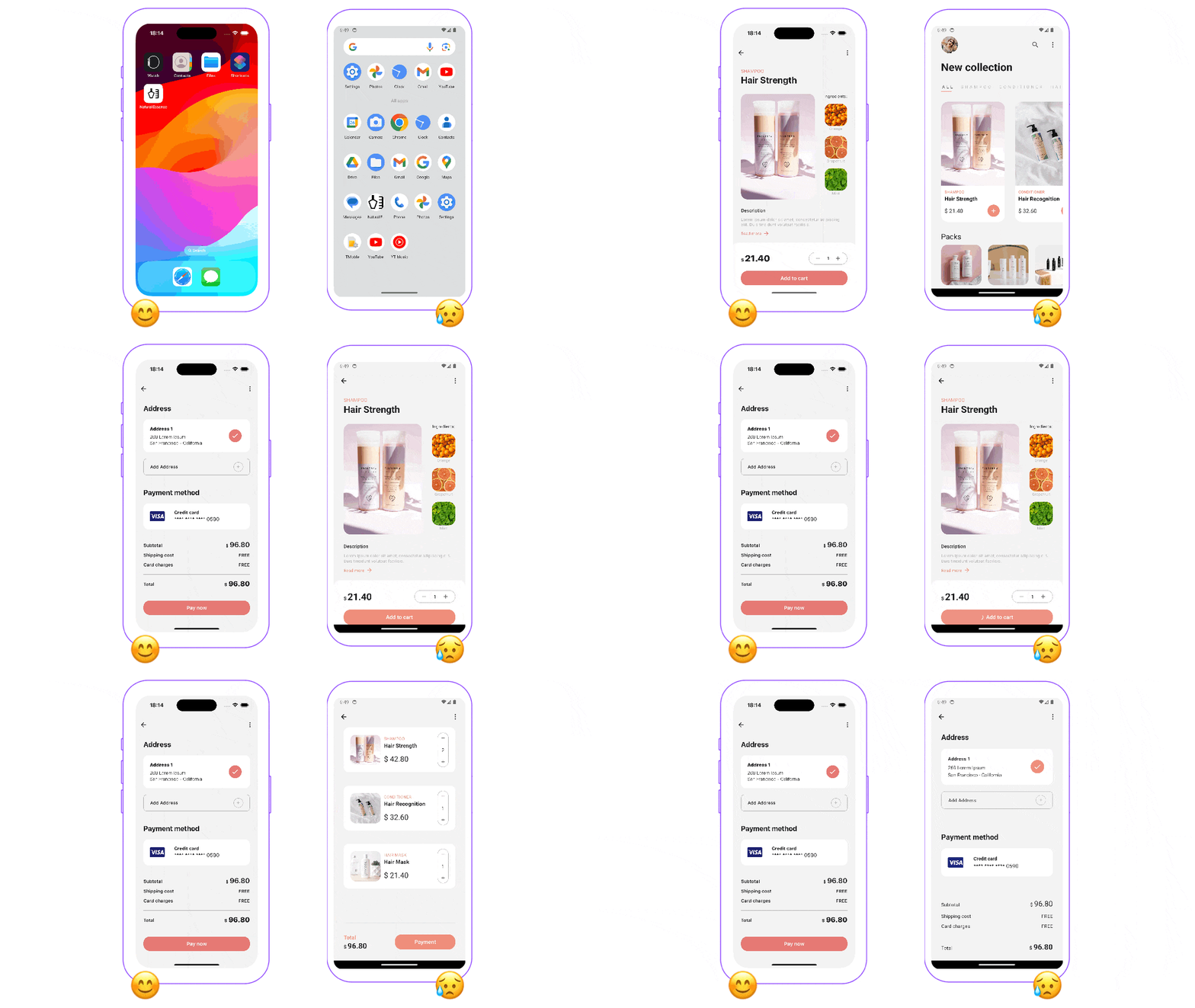
Here you can see there are multiple errors when trying to proceed with the purchase.
Monitoring User Interactions
Sometimes, issues aren’t related to errors or performance and hence are hard to trace. For example, a button might be misaligned on certain devices, preventing users from completing a purchase. This is not a crash or a performance issue, hence it might not be reflected on traditional metrics.
By monitoring user interactions and constructing funnels for critical user flows, you can detect these issues before they significantly affect the user experience. RUM can help assess the extent of an issue and understand its impact on the user experience, especially if we attach some additional data, such as counters or breadcrumbs, to fully understand the experience.

Enhancing Business Metrics with RUM
RUM isn’t just about technical optimization; it also plays a crucial role in improving business metrics. One of the most important metrics for any app is the conversion rate—the percentage of users who take a desired action, such as making a purchase.
The conversion rate reflects the overall effectiveness of not just your app, but also the underlying product and marketing strategies driving user behavior. A higher mobile app conversion rate typically signals a more successful app. To put this into context, let’s consider the purchase conversion rate.
Example: Improving Conversion Rates
Let’s say your app’s current purchase flow involves several steps: product details, basket, checkout, and payment. We hypothesize that reducing the number of steps will increase the conversion rate. Now, instead of requiring users to go to the basket, they can click the "Buy Now" button directly from the product detail page, bypassing the basket entirely.
To test this hypothesis, we can use A/B testing to compare the original flow with the new one. This method allows us to see, based on real data, whether streamlining the process positively impacts user behavior.

In our case, the hypothesis was confirmed—conversion rates increased from 1.4% to 2.8%. A/B testing eliminates the guesswork and ensures that changes are driven by data, enabling us to confidently decide which flow works best for our users.
Conclusion
Real User Monitoring is a powerful tool for optimizing performance, discovering issues, and improving business metrics. But collecting data is just the first step. To truly benefit from RUM, you need to analyze the data, understand the user experience, and make informed decisions that drive both technical and business success.
By leveraging RUM, you can ensure that your app not only runs smoothly but also meets your business objectives, ultimately leading to a better experience for your users and better outcomes for your business.
Let us help you use Real User Monitoring to unlock your app’s full potential and drive your business growth. Let’s talk!


