React Native: Handling Language Changes on Android the Right Way

Authors
Ferran Negre
Software Engineer
@
Callstack

One of the core features of your app is internationalization (aka I18n), right? Internationalization is all about offering your products in such a way that they can be localized for languages and cultures easily.

In react native there is a very nice library to handle it. With this library, you can define a list of locales your mobile app supports:

I18n.fallbacks = true;
I18n.translations = {
 en,
 es,
 pl,
 fr,
 it,
};

Fallback is important for unfinished translations. So if your fallback language is en and you have a key that is not translated (so not defined in another language) it will use the key from the fallback language instead.

Using the module is also pretty familiar if you come from the web:

I18n.t('some_key')

One of the lovely things to handle this on the JavaScript side (I developed pure Android apps) is that you can update your .js language files and upload them on the fly using CodePush. That way, for any new language, any new key, any typo being fixed, you do not need to do a full app release (YEAH!).

There was some trickery involved though and that is why I am writing this article. I found out that when using this library on Android, if we change the system language, the app will not update to the new locale till I reload the JS bundle. That is not the Android default behavior so… Let’s fix it!

Solving the reload Android problem

Let’s see first what happens on iOS when changing the system language and going back to our app:
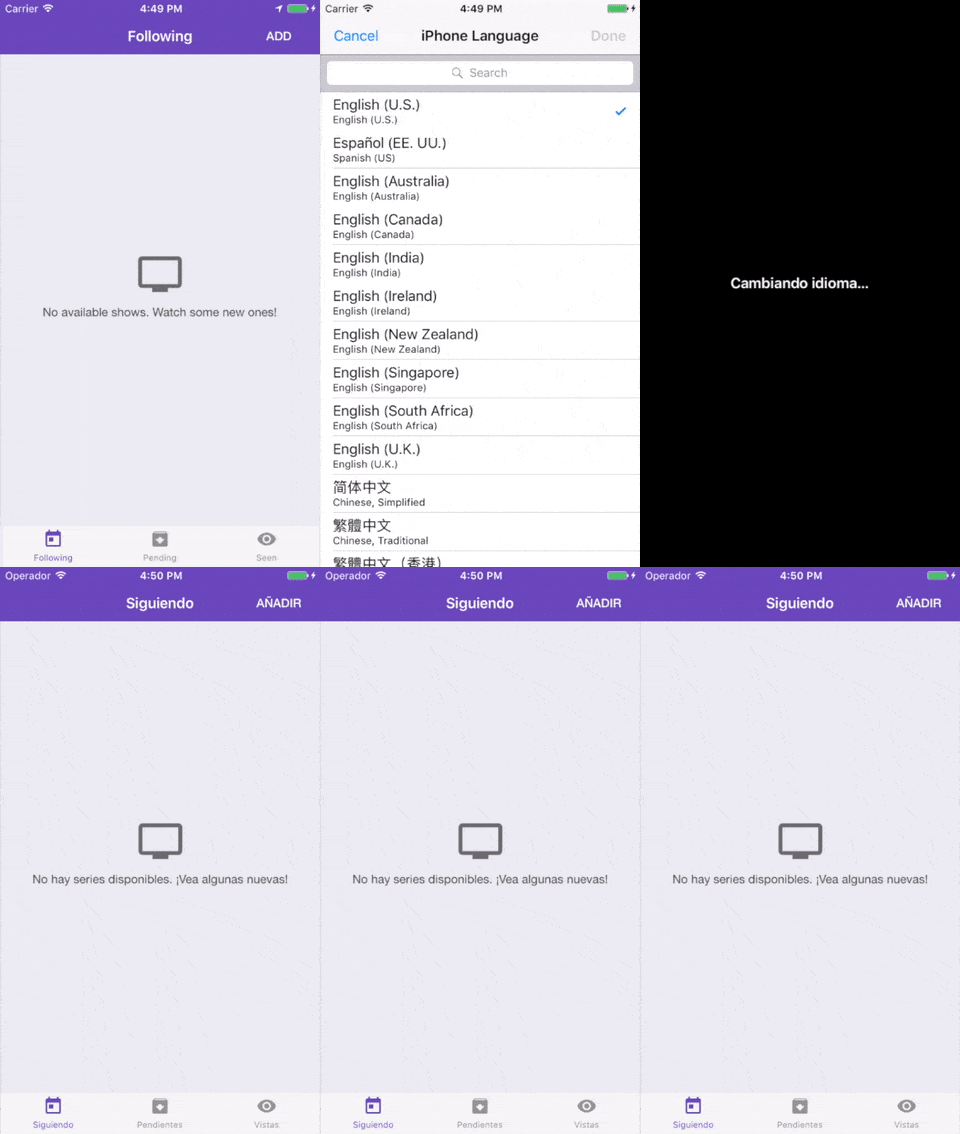
changing language in iOS app

As you can see, everything works as expected, our app and bundle gets restarted when coming back to it and we see the new language in place. Let’s see how it behaves on Android:

changing language in Android app

I googled for an existing solution, I followed this post on changing locale in React Native but it did not work for me (the part with restarting). Plus you need a couple of more dependencies: <rte-code>react-native-locale-listener<rte-code> and <rte-code>react-native-restart<rte-code>. In fact, we can solve this on the native side with a few lines of code and we won’t need any more dependencies. Actually, we won’t even need to go through the bridge (all will happen in the native side).

We need to add a couple of cases in our <rte-code>AndroidManifest.xml<rte-code>, look for this line and add the two bold cases:

android:configChanges="keyboard|keyboardHidden|orientation|screenSize|<strong>layoutDirection</strong>|<strong>locale</strong>">

In theory we just need locale but there is a bug in the Android platform where the locale change won’t trigger if we do not add <rte-code>layoutDirection<rte-code> too.

After that, we can go to our <rte-code>MainActivity.java<rte-code>, it should look like:

static String currentLocale;
@Override
protected void onCreate(Bundle savedInstanceState) {
super.onCreate(savedInstanceState);
MainActivity.currentLocale = getResources().getConfiguration().locale.toString();
}
@Override
public void onConfigurationChanged(Configuration newConfig) {
super.onConfigurationChanged(newConfig);
String locale = newConfig.locale.toString();
if (!MainActivity.currentLocale.equals(locale)) {
MainActivity.currentLocale = locale;
final ReactInstanceManager instanceManager = getReactInstanceManager();
instanceManager.recreateReactContextInBackground();
}
}

Unfortunately, inside <rte-code>onConfigurationChanged<rte-code> we cannot access the old locale and that is why I am using the currentLocale variable. But basically, if we change the locale (change the phone language) we will recreate the react context. This is the result:
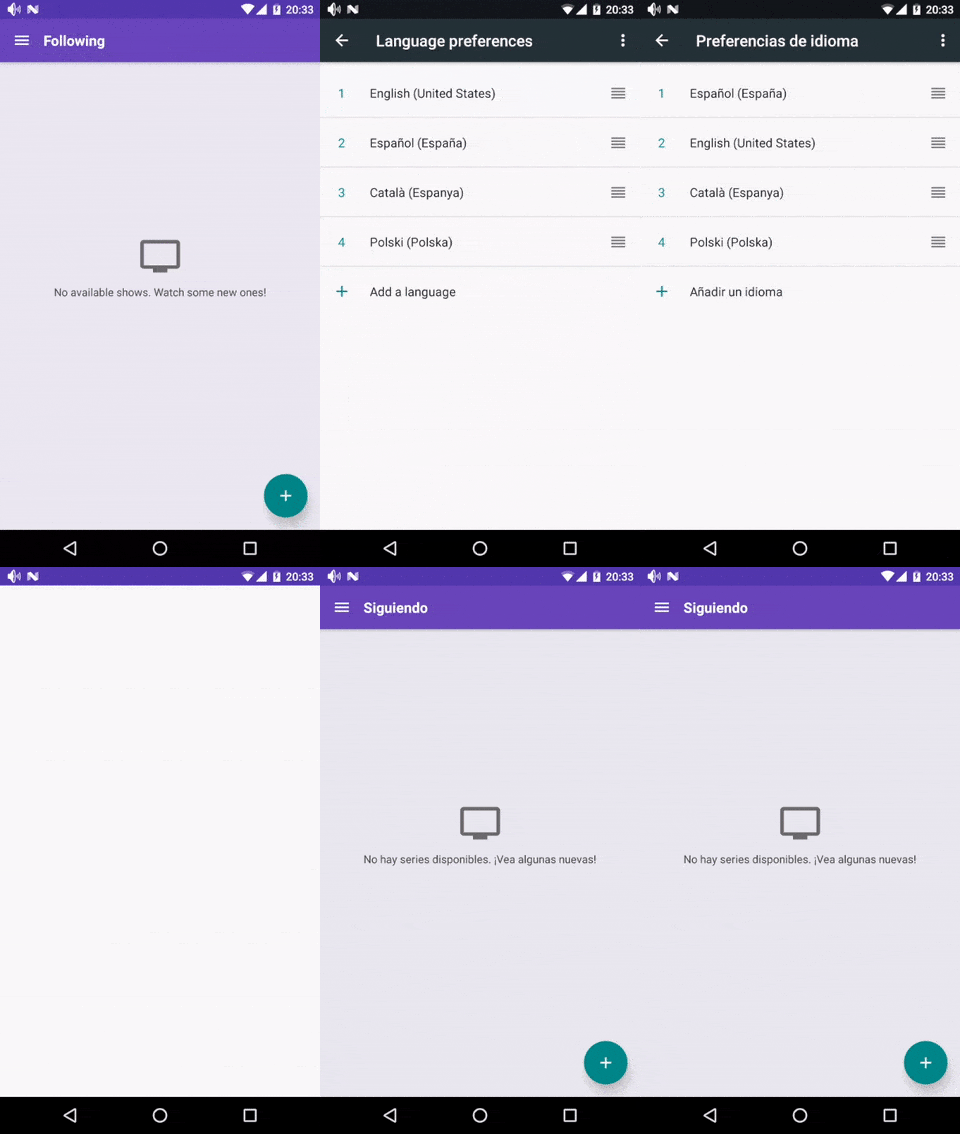
screen with language preferences

Just as we wanted! Not sure about you but I am going to use this technique in any app I need to write, I18n is a must.

Happy coding!

Insights

Learn more about Performance

cover

Jul 3Podcast

Why Nitro Is More Than a Faster Bridge

Marc Rousavy (Margelo) talks Nitro modules, native state, zero-copy data, Vision Camera, and why speed is only part of the story.

cover

May 25Article

Profile React Components in React Native Release Builds

Learn how to profile React components in React Native release builds with @callstack/inspector, using an Expo app setup that requires zero native code changes.

cover

Nov 21Article

Memory Ownership Models: When JavaScript Meets Native Code

A deep dive into how React Native handles memory when JavaScript and native code share ArrayBuffer data. Learn why async processing can break, how GC affects raw pointers, and the safe patterns for building high-performance native integrations.

cover

Oct 14Article

From Files to Buffers: Building Real-Time Audio Pipelines in React Native

Learn how to move beyond file-based audio APIs and work directly with in-memory PCM data in React Native. This guide shows how to construct WAV buffers, use JSI for zero-copy transfers, and enable real-time audio processing.

cover

Sep 8Article

How to Add Custom JSI Bindings in Your TurboModule (and Why You Might Need Them)

TurboModules provide a type-safe way to write native code in React Native. JSI sits underneath as a lower-level API, enabling direct interaction with the JavaScript runtime. Beyond what TurboModules expose, JSI gives you access to powerful features, such as working directly with ArrayBuffers. This article shows how to inject a custom binding step by step.

cover

Jul 24Article

Exploring Fibers: Cooperative Multitasking and Lock-Free Task Execution

Explore how fibers enable lightweight, cooperative multitasking. This guide walks through building a simple scheduler, managing task dependencies without locks, and using Tracy to visualize performance.

cover

May 21Article

Multithreading Isn’t Free: Performance Pitfalls Visualized

Learn how to profile and optimize multithreaded apps. Discover why more threads don’t always mean faster results and how bad thread contention really is.

Event Cover

Apr 28Webinar

Master JavaScript Performance in React Native (Part 2)

Learn to fix JS performance issues in React Native-from debounce bugs to Redux selectors, in this hands-on webinar with real code examples.

Events Cover

Apr 24Talk

Tips & Tricks From The Ultimate Guide to React Native Optimization 2025

View flattening, React 19 hooks, real DevTools tips-learn what actually helps your React Native app run faster.

Events Cover

Apr 24Talk

User-Focused Performance Tracking

Discover how Expensify defines and tracks performance metrics that actually impact user experience.

cover

Dec 18Podcast

React Native FastIO: Nitro-Powered Performance Boost

Listen to Mike Grabowski talk about React Native FastIO, a collection of primitives for working with data in React Native and its performance benefits.

cover

Oct 15Podcast

Superfast Nitro Modules With Marc Rousavy

Even faster React Native apps? That's possible with Nitro Modules! Tune in to the conversation with their creator, Marc Rousavy.

cover

Mar 19Tutorial

The Hard Way vs. The React Native AI SDK Way: Stop Writing Custom Modules for Every Model

Learn how React Native AI uses a unified provider model to switch between cloud and on-device LLMs without rewriting application logic, enabling reliable AI experiences online and offline.

cover

Mar 12Tutorial

Build Smarter Apps: Tool Calling & AI Orchestration Explained

Learn how on-device models in React Native can call tools, interact with external APIs, and return structured outputs you can use directly in application logic.

cover

Mar 5Tutorial

MLC LLM + React Native: On-Device AI Without the Pain

Learn how to run third-party on-device LLMs in React Native using MLC LLM. Choose your models, run them efficiently across platforms, and keep a unified JavaScript API with React Native AI.

cover

Feb 24Tutorial

Intelligent Fallbacks with Apple Intelligence in React Native

Learn how to use Apple’s built-in Foundation Models in React Native apps, reduce memory usage, and enable fast, fully on-device AI with React Native AI Apple.

cover

Feb 10Tutorial

What Is the React Native AI SDK? A Complete Intro & Quickstart

Learn why on-device AI matters for React Native apps, how local LLMs behave offline, and what problems React Native AI is designed to solve from day one.

cover

Jan 29Tutorial

Implementing an Android TurboModule with Kotlin

Learn how to implement a React Native TurboModule on Android, from the TypeScript spec and Codegen to the Kotlin implementation and package registration.

cover

Jan 19Tutorial

Working with Different Threads in Swift TurboModules

Learn how JavaScript, native module, background, and main threads interact in React Native TurboModules, and how to use GCD queues to run async work safely in Swift.

cover

Jan 9Tutorial

How to Add Type-Safe Constants to Swift TurboModules

Learn how to expose typed, immutable constants from a Swift TurboModule using Codegen, and get full end-to-end type safety between native and JavaScript.

cover

Dec 30Tutorial

Adding Event Emitters to Your TurboModule in Swift

Learn how to emit native events from a Swift TurboModule and subscribe to them in JavaScript, including proper memory management and Codegen integration.

cover

Dec 22Tutorial

Writing Your First TurboModule in Swift

Learn how to build a fully working TurboModule in Swift, integrate it with Codegen, and bridge it through Objective‑C inside an Expo app.