React Native Animations Revisited - Part III

Pan Responder

Animations are really important part of modern applications. But sometimes animation is not enough. If we want to respond to screen gestures, and apply some animation as well (i.e. create drag and drop component) — then we need to use PanResponder. It is designed to work with Animated API, and you can have stunning results after combining those two.

This is last part of series. Here you can check previous ones if you missed some:

PanResponder might be quite complicated, especially if you’re on the beginning of your journey with React Native. I’ll try to show you simple usage of this API combined with Animated API. Let’s make our square from previous examples draggable. I would also like it scale to 150% of its size when it’s being dragged. Just look at the image below.
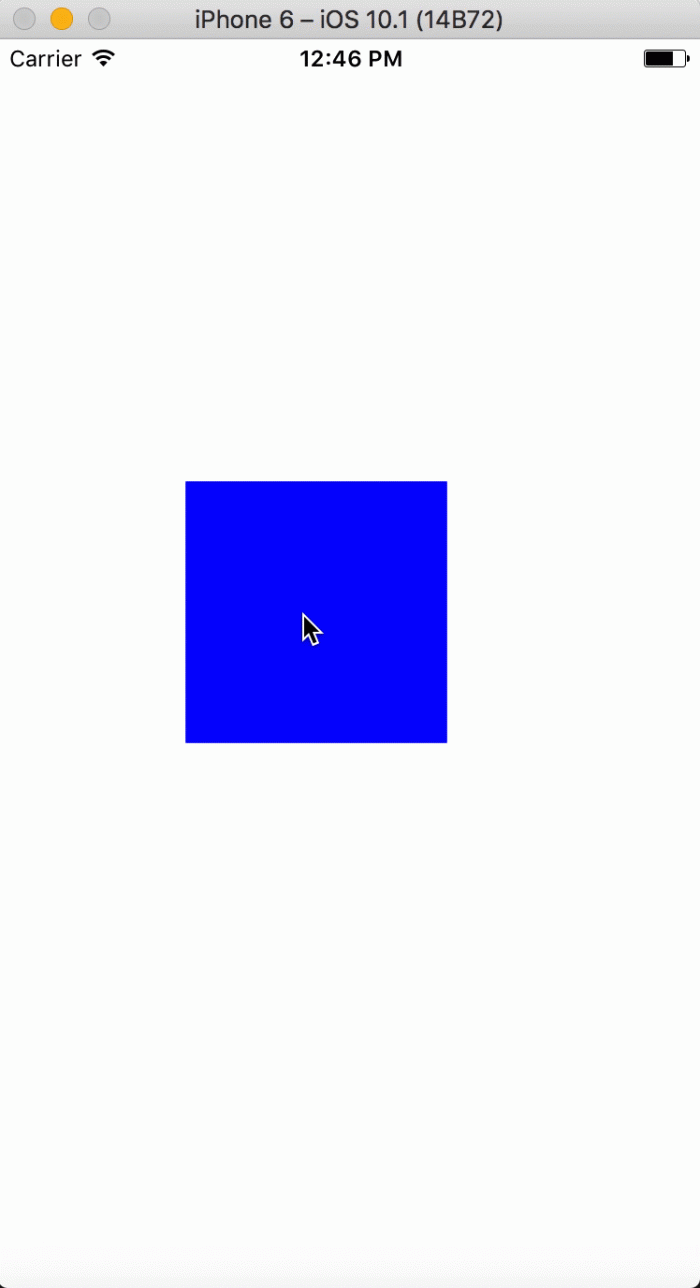
panresponder iphone 6 gif

And now let’s see how to do it. :)

Code might look a bit complicated now, but i’ll try to explain it step by step. First thing to look at is constructor(). Let’s see what happened there.

constructor(props) {
super(props);
const { width, height } = Dimensions.get('window');
const edgeLength = 100;
const axisX = (width / 2) - (edgeLength / 2);
const axisY = (height / 2) - (edgeLength / 2);
this.axisX = axisX;
this.axisY = axisY;
this.state = {
edgeLength,
panAnimation: new Animated.ValueXY({ x: axisX , y: axisY }),
scaleAnimation: new Animated.Value(1),
}
}
view raw gistfile1.txt hosted with ❤ by GitHub

We need to specify component’s initial position and width. When using PanResponder with Animations we should declare starting position in X and Y axis. We did take screen’s width and height and adjusted our square to be in the middle. Also we placed default value of scale animation. We want it to be at it’s normal size so Animated.Value() is set to 1.

componentWillMount() {
this.state.panAnimation.x.addListener((event) =>
this.axisX = event.value
);
this.state.panAnimation.y.addListener((event) =>
this.axisY = event.value
);
this.panResponder = PanResponder.create({
onMoveShouldSetResponderCapture: () => true,
onMoveShouldSetPanResponderCapture: () => true,
onPanResponderGrant: (e) => {
this.state.panAnimation.setOffset({
x: this.axisX,
y: this.axisY
});
this.state.panAnimation.setValue({ x: 0, y: 0 });
Animated.spring(
this.state.scaleAnimation,
{
toValue: 1.5,
}
).start();
},
onPanResponderMove: Animated.event([
null,
{
dx: this.state.panAnimation.x,
dy: this.state.panAnimation.y,
},
]),
onPanResponderRelease: () => {
Animated.spring(
this.state.scaleAnimation,
{
toValue: 1,
}
).start();
}
});
};
view raw gistfile1.txt hosted with ❤ by GitHub

Now it’s time to see what happens in componentWillMount() hook. We need to create PanResponder here. First two functions are just used to ask to be responder, onPanResponderGrant() is invoked when responder is granted to our component, onPanResponderMove() is called every time component moves, and in onPanResponderRelease() you can tell what to do after finger is released.

And i think all of the hard work is done. Now we only need to clear responder when unmounting component, and attach animation styles (which we already know!) to our component.

Summary

I hope that makes all the stuff related to animations a bit easier for you. Don’t worry if it’s not clear for you at the moment. Just try playing around with my examples and you will catch it in no time.

Insights

Learn more about Animations

cover

Jul 8Podcast

React Native Ease: Platform-Native Animations Without the Extra Work

Łukasz talks with Janic from App & Flow about React Native Ease, Core Animation, Reanimated trade-offs, and performant UI animation in React Native.

cover

Jul 7Podcast

Where Reanimated Goes Next

A conversation with Bartłomiej Błoniarz on CSS animations in Reanimated, native primitives on iOS, shared element transitions, and the work still left on stability.

cover

Oct 30Live Stream

Reanimated, TanStack, Cross-Pollinating Languages & TWIR #256 Anniversary

Catch up on everything from TanStack updates and Astro insights to Reanimated deep dive and even Swift for Android. Plus, we celebrate the 256th newsletter!

Events Cover

Apr 16Talk

How to Make Your React (Native) App Feel Native

How to make your React Native app feel truly native, across iOS, Android, tvOS & more. Dive into best practices, navigation, and react-native-bottom-tabs.

cover

Feb 19Podcast

Reanimated 4 is the Future of Smooth React Native Animations

Reanimated 4 is now available in beta, and if you work with animations in React Native, you need to know what’s new!

cover

Oct 11Article

A Deep Dive Into React Native Reanimated v1

Read the article to learn more about what React Native Reanimated is, how it works under the hood, and what idea stands behind the library.

cover

Apr 15Article

ReanimatedArc - Build Circular Animated UI Elements in React Native

Build good-looking and smooth animated arcs in React Native with ReanimatedArc library.

cover

Oct 25Article

Custom Screen Transitions in React Navigation

Wondering how to custom a screen transition animation in React Navigation? Check this step-by-step guide.

cover

Aug 8Article

Reanimating Your React Native Experience

Read how to achieve delightful developer experience with react-native-gesture and react-native-animated.

cover

Jan 10Article

React Native Animations Revisited - Part II

In this part of the three-part guide about animations in React Native we cover creating animations with Animated API.

cover

Jan 4Article

React Native Animations Revisited - Part I

Three-part guide for developers explaining how to deal with animations in React Native - Part 1.

cover

Mar 19Tutorial

The Hard Way vs. The React Native AI SDK Way: Stop Writing Custom Modules for Every Model

Learn how React Native AI uses a unified provider model to switch between cloud and on-device LLMs without rewriting application logic, enabling reliable AI experiences online and offline.

cover

Mar 12Tutorial

Build Smarter Apps: Tool Calling & AI Orchestration Explained

Learn how on-device models in React Native can call tools, interact with external APIs, and return structured outputs you can use directly in application logic.

cover

Mar 5Tutorial

MLC LLM + React Native: On-Device AI Without the Pain

Learn how to run third-party on-device LLMs in React Native using MLC LLM. Choose your models, run them efficiently across platforms, and keep a unified JavaScript API with React Native AI.

cover

Feb 24Tutorial

Intelligent Fallbacks with Apple Intelligence in React Native

Learn how to use Apple’s built-in Foundation Models in React Native apps, reduce memory usage, and enable fast, fully on-device AI with React Native AI Apple.

cover

Feb 10Tutorial

What Is the React Native AI SDK? A Complete Intro & Quickstart

Learn why on-device AI matters for React Native apps, how local LLMs behave offline, and what problems React Native AI is designed to solve from day one.

cover

Jan 29Tutorial

Implementing an Android TurboModule with Kotlin

Learn how to implement a React Native TurboModule on Android, from the TypeScript spec and Codegen to the Kotlin implementation and package registration.

cover

Jan 19Tutorial

Working with Different Threads in Swift TurboModules

Learn how JavaScript, native module, background, and main threads interact in React Native TurboModules, and how to use GCD queues to run async work safely in Swift.

cover

Jan 9Tutorial

How to Add Type-Safe Constants to Swift TurboModules

Learn how to expose typed, immutable constants from a Swift TurboModule using Codegen, and get full end-to-end type safety between native and JavaScript.

cover

Dec 30Tutorial

Adding Event Emitters to Your TurboModule in Swift

Learn how to emit native events from a Swift TurboModule and subscribe to them in JavaScript, including proper memory management and Codegen integration.

cover

Dec 22Tutorial

Writing Your First TurboModule in Swift

Learn how to build a fully working TurboModule in Swift, integrate it with Codegen, and bridge it through Objective‑C inside an Expo app.