Solving Swift Modular Header Issues in React Native for Good

Authors
Oskar Kwaśniewski
Software Developer
@
Callstack

Introduction

When installing a new React Native library you might have run into this issue when installing pod:

issue with Swift pod install

After seeing this error you might say: “Ah this library just doesn’t work…”, and move on to a similar one.

In this article, I want to discuss why this happens and suggest potential solutions that might save you hours of trying different workarounds.

Why does this error happen?

Let’s start by analyzing the error message. The first sentence tells us that a Pod (library in CocoaPods nomenclature) depends on something else that doesn’t define modules.

What are modules?

Modules are a modern way to package and distribute code in Apple’s ecosystem. When you import Objective-C dependency into a Swift codebase that dependency needs to expose a module interface.

The error then suggests using use_modular_headers! which tells CocoaPods to generate module maps for all of our dependencies. A module map file (.modulemap) tells the compiler how to import the framework’s contents.

However, you might run into compilation errors when you opt-in to use modular headers for all your dependencies. Let’s go over other solutions that you may want to consider.

Solution #1 - Enable static frameworks

One of the most frequent solutions to this issue is to enforce library users to enable static frameworks during build time. This solution fixes the issue because enabling frameworks automatically includes module support.

But in some cases you might want to stick to using static libraries (the default). For that case I’ve created a new CocoaPods plugin that automagically fixes the issue for you.

Let’s see how it works.

Solution #2 - Use CocoaPods Plugin

Here is a quick video demo of how this plugin works:
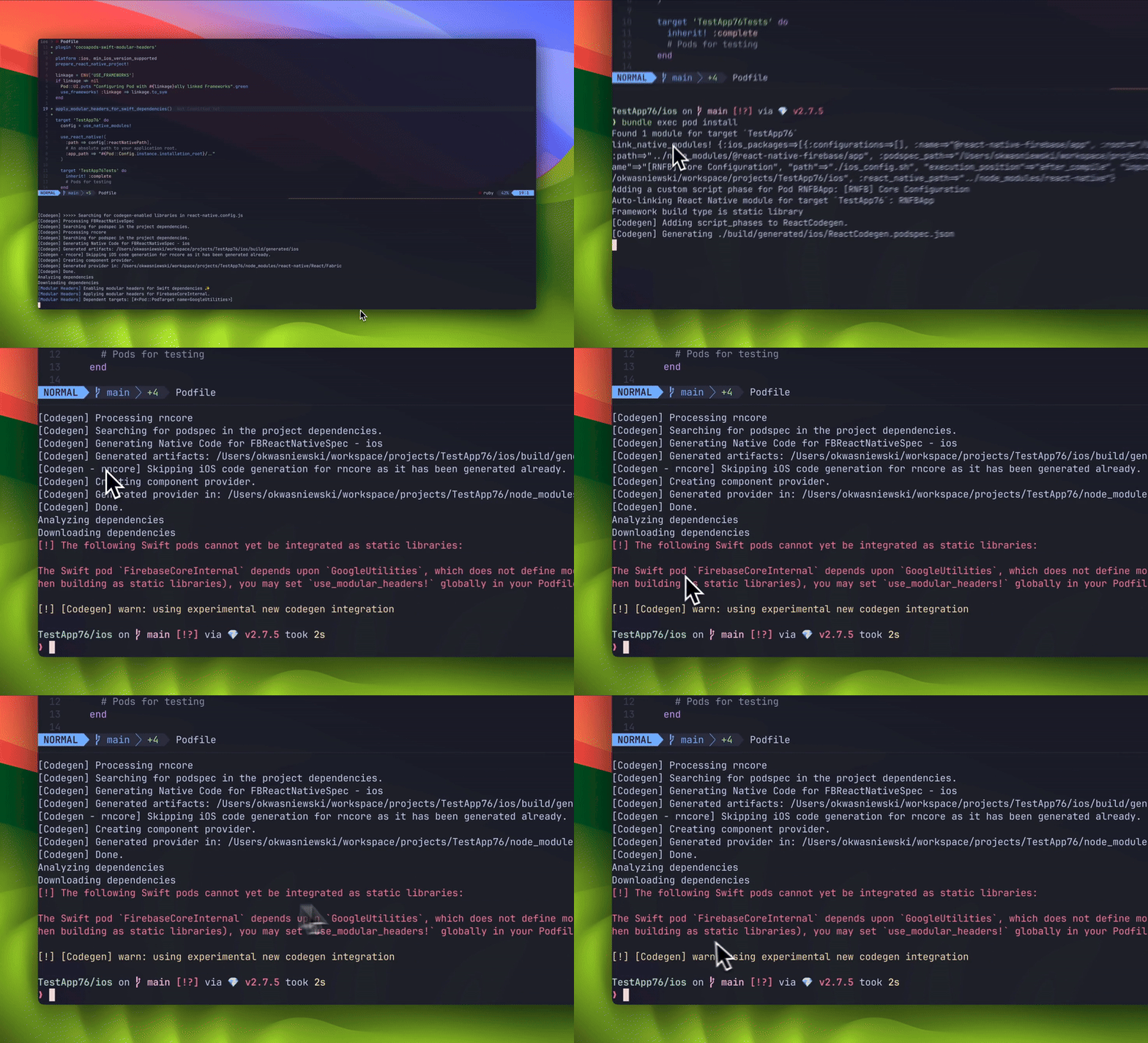
using CocoaPods demo

Let’s see what goes on under the hood.

When using CocoaPods in a regular native project (without React Native), you would typically resolve this issue by adding :modular_headers => true next to your dependency definition.

In native projects Podfile is the source of truth for your App’s dependencies. So if we have the following Podfile which now has only one dependency (SomeLibrary):

target 'MyApp' do
pod 'SomeLibrary'
end
view raw Podfile hosted with ❤ by GitHub

We can fix the modular headers error by specifying modular_headers like so:

target 'MyApp' do
pod 'SomeLibrary', :modular_headers => true
end
view raw Podfile hosted with ❤ by GitHub

This is great for native iOS development, In React Native, however, the source of our dependencies is package.json.

When you look at your Podfile, you will see something more similar to the following:

target 'MyApp' do
config = use_native_modules!
use_react_native!(
:path => config[:reactNativePath],
# An absolute path to your application root.
:app_path => "#{Pod::Config.instance.installation_root}/.."
)
# ...
end
view raw Podfile hosted with ❤ by GitHub

As you can see, pods are automatically added to your project thanks to React Native's Auto Linking mechanism based on the native code from your node_modules.

Fortunately, we can use CocoaPods utility function set_use_modular_headers_for_pod to achieve the same outcome in cases where we don't have access to pod declaration.

However, there’s an important caveat to keep in mind. Iterating over every library and calling set_use_modular_headers_for_pod is essentially the same as use_modular_headers! (as it will be enabled globally). This can come with its own set of challenges, as discussed earlier in the article.

To address this, the plugin hooks into the pre_install phase of pods installation. It then traverses the dependency tree, identifying Swift libraries and applying modular headers only where necessary.

This approach ensures that modular headers are applied selectively, enabling the pod installation phase to succeed.

Using the plugin

The first step to use the plugin is to add it to your Gemfile (if you are not using bundler, you can install it globally, although I highly recommend you to do so - it’s the default).

gem 'cocoapods-swift-modular-headers'

After that, run bundle install and you can reference the plugin in your Podfile:

plugin 'cocoapods-swift-modular-headers'
# Above target declarations
apply_modular_headers_for_swift_dependencies()
view raw Podfile hosted with ❤ by GitHub

If you already have some pre-install hooks, you can add the plugin to the existing hooks:

plugin 'cocoapods-swift-modular-headers'
pre_install do |installer|
apply_modular_headers_for_swift_dependencies(installer)
end
view raw Podfile hosted with ❤ by GitHub

Here is the plugin repository if you want to learn more.

Summary

With Swift growing in popularity mixing Objective-C and Swift will become more and more popular, so at one point you will most likely run into this error. I hope that now you understand why it happens and how you can fix it once and for all.

Insights

Learn more about iOS

cover

Nov 25Article

Integrating Swift Package Manager With React Native Libraries

Learn how to use Swift Package Manager with React Native libraries, including support for both remote and local SPM packages. This guide explains the spm_dependency helper, monorepo workflows, and current limitations.

cover

Oct 23Live Stream

Building Real-Time Live Activities in Expo

Learn how to add real-time LiveActivity updates to your Expo app using Swift native modules. In this stream, we implemented Apple’s Live Activities with Evan Bacon’s library, explored ActivityKit, and discussed cross-platform development with Solito 5 and Expo UI.

cover

Sep 11Article

How to Use Liquid Glass in React Native

Learn how to bring Apple’s new Liquid Glass design material into your React Native apps. This guide covers design best practices, performance tips, and examples using LiquidGlassView and LiquidGlassContainerView.

cover

Feb 27Article

Exposing SwiftUI Views to React Native: An Integration Guide

Learn how to seamlessly integrate SwiftUI views in React Native and enhance your app’s iOS capabilities with SwiftUI superpowers.

cover

Jun 3Article

Handling Multiple Native iOS Views in React Native

In this article Piotr Trocki, software developer at Callstack, explains how to handle multiple Native iOS views in React Native.

cover

Nov 16Article

React Native Meets iPhoneX

Check this practical guide on adapting your React Native application to the new iPhone X, specifically when using react-native-navigation.

cover

Mar 19Tutorial

The Hard Way vs. The React Native AI SDK Way: Stop Writing Custom Modules for Every Model

Learn how React Native AI uses a unified provider model to switch between cloud and on-device LLMs without rewriting application logic, enabling reliable AI experiences online and offline.

cover

Mar 12Tutorial

Build Smarter Apps: Tool Calling & AI Orchestration Explained

Learn how on-device models in React Native can call tools, interact with external APIs, and return structured outputs you can use directly in application logic.

cover

Mar 5Tutorial

MLC LLM + React Native: On-Device AI Without the Pain

Learn how to run third-party on-device LLMs in React Native using MLC LLM. Choose your models, run them efficiently across platforms, and keep a unified JavaScript API with React Native AI.

cover

Feb 24Tutorial

Intelligent Fallbacks with Apple Intelligence in React Native

Learn how to use Apple’s built-in Foundation Models in React Native apps, reduce memory usage, and enable fast, fully on-device AI with React Native AI Apple.

cover

Feb 10Tutorial

What Is the React Native AI SDK? A Complete Intro & Quickstart

Learn why on-device AI matters for React Native apps, how local LLMs behave offline, and what problems React Native AI is designed to solve from day one.

cover

Jan 29Tutorial

Implementing an Android TurboModule with Kotlin

Learn how to implement a React Native TurboModule on Android, from the TypeScript spec and Codegen to the Kotlin implementation and package registration.

cover

Jan 19Tutorial

Working with Different Threads in Swift TurboModules

Learn how JavaScript, native module, background, and main threads interact in React Native TurboModules, and how to use GCD queues to run async work safely in Swift.

cover

Jan 9Tutorial

How to Add Type-Safe Constants to Swift TurboModules

Learn how to expose typed, immutable constants from a Swift TurboModule using Codegen, and get full end-to-end type safety between native and JavaScript.

cover

Dec 30Tutorial

Adding Event Emitters to Your TurboModule in Swift

Learn how to emit native events from a Swift TurboModule and subscribe to them in JavaScript, including proper memory management and Codegen integration.

cover

Dec 22Tutorial

Writing Your First TurboModule in Swift

Learn how to build a fully working TurboModule in Swift, integrate it with Codegen, and bridge it through Objective‑C inside an Expo app.