How to Create a Universe in React VR

Authors
Adam Trzciński
Software Engineer
@
Callstack

Ever heard about React VR? You’ve probably heard about React, and React VR is the youngest child in React family. As it stands in the Docs:

React VR takes it to the next level, creating UIs and 3D scenes in virtual reality.

React VR builds on top of React Native, and it shares similar concepts and components as its mobile counterpart, such as View and Text tags, and similar layout but extended with 3rd dimension.

Without further ado, let’s try it out and give it a spin (pun intended).

Project setup

Setting up a new project is as easy as installing React VR CLI and bootstrapping the project with it (pretty much the same as you’d do with React or ReactNative):

$ npm install -g react-vr-cli
$ react-vr init vr-universe
$ cd vr-universe
$ npm start

Wait for packager to launch, and visit localhost:8081/vr in your browser. You should be presented with 3D React VR welcome screen:

3d React VR welcome screen

You can also view it on your phone, or if you’re using a web browser that supports WebVR (e.g. Carmel Developer Preview browser for Oculus), you should be able to put on your headset and explore the world in full VR.

Planets

Let’s explore some basic components and core APIs delivered with react-vr and build something neat.

Replace existing code in index.vr.js with those lines:

import React from 'react';
import { AppRegistry, Sphere, View, PointLight } from 'react-vr';
export default class vr_universe extends React.Component {
render() {
return (
<View>
<Sphere
heightSegments={20}
widthSegments={20}
radius={0.3}
lit
style={{ color: 'blue', transform: [{ translateZ: -3 }] }}
/>
<PointLight
intensity={2}
style={{ transform: [{ translate: [0, 700, 700] }] }}
/>
</View>
);
}
}
AppRegistry.registerComponent('vr_universe', () => vr_universe);
view raw index.vr.js hosted with ❤ by GitHub

You should now see a blue Sphere component — it will be a building block of our app. We have moved it 3 meters along z-axis to see the whole object.

View is core component used also in react-native. It is main container for all other components. PointLight is a light source — without it we wouldn’t see a thing.

Let’s finish our Earth:

import * as React from 'react'
import { View, Scene, PointLight, Animated } from 'react-vr'
import Planet from './Planet'
import Sun from './Sun'
class App extends React.Component {
render() {
return (
<Scene
style={{
transform: [
{translateZ: 35},
{translateY: 35},
{ rotateX: -45 },
],
}}
>
<Planet
texture="earth.jpg"
yearDuration={20000}
dayDuration={2000}
radius={1}
elipsisRadius={20}
inclination={7.2}
/>
<Sun />
</Scene>
)
}
}
export default App
view raw earth_sun.vr.js hosted with ❤ by GitHub

To spin it around, we have used Animated API. It’s a library used also in react-native that let us create nice and fluid animations. We’ve also added the new texture prop to our Sphere component — an image that React VR will render to 3D image of the planet.

And voila, we now have our own planet that we can spin around and view from different angles.
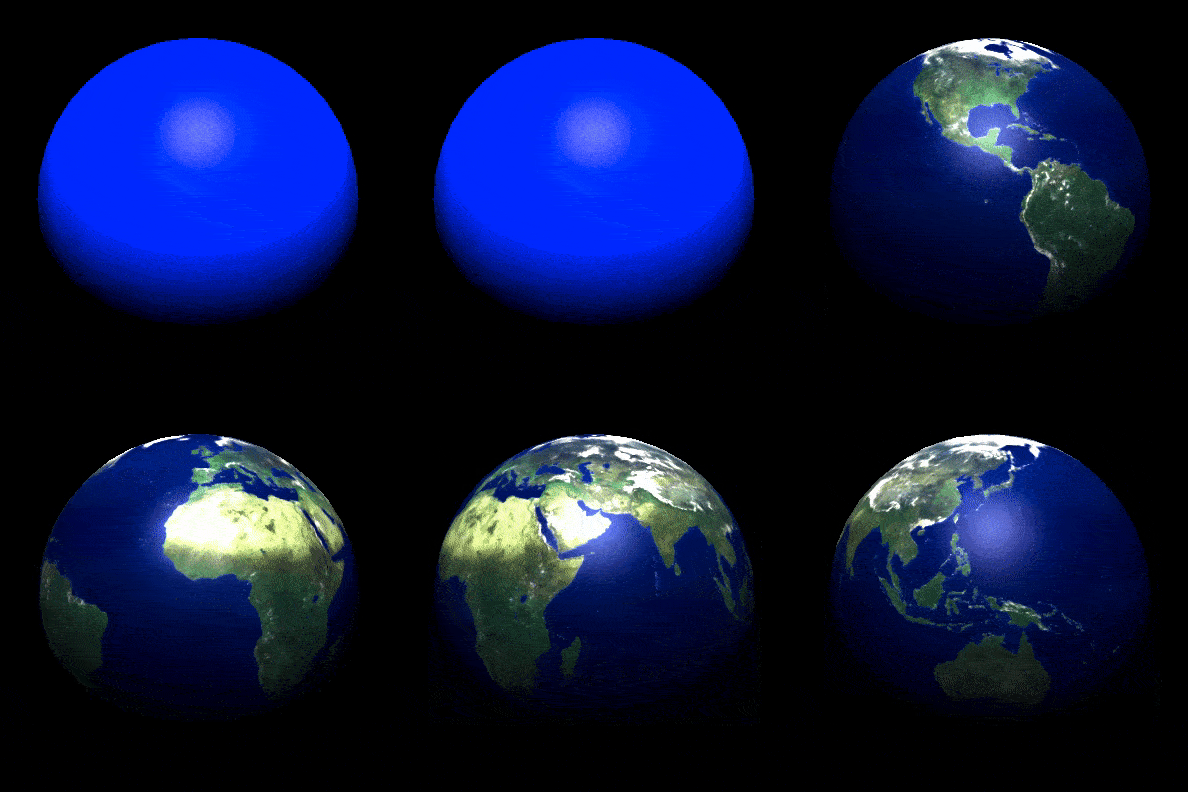
animated image of spinning globe

Last thing — rotate our planet around the Sun. To do so, we can create another Animated.Value, and interpolate it to tranlsateX and translateZtransformations:

import React from 'react'
/*...*/
import AnimatedMath from 'react-native-animated-math'
/*...*/
export default class Globe extends React.Component {
/*...*/
rotation = new Animated.Value(0)
componentDidMount() {
this.spinAround()
this.rotate()
}
/* ...*/
this.rotate = () => {
Animated.loop(
Animated.timing(this.rotation, {
toValue: 2 * Math.PI,
easing: Easing.linear,
duration: this.props.yearDuration,
})
).start()
}
render() {
return(
<View>
<Planet
style={{
transform: [
{
translateX: Animated.multiply(
AnimatedMath.sinus(this.rotation),
-elipsisRadius
),
},
{
translateZ: Animated.multiply(
AnimatedMath.cosinus(this.rotation),
elipsisRadius
),
},
{rotateY: this.spin}
]}} />
<PointLight intensuty={2} />
</View>
)
}
}

Big shoutout to Michael Straßburger for creating react-native-animated-math that simplified math in animations of planets! ⭐️

Now, we have our planet spinning and rotating around the Sun.

What Sun!? We don’t have it yet, let’s quickly correct that omission.

Adding the Sun

It should be pretty straightforward — Sun does not move around, so we can position it at the center of our app, and just make some styling:

import * as React from 'react'
import { Sphere, PointLight, View, asset } from 'react-vr'
class Sun extends React.Component {
render() {
return (
<View>
<Sphere
radius={5}
widthSegments={30}
heightSegments={30}
texture={asset('sun.jpg')}
/>
<PointLight intensity={3} />
</View>
)
}
}
export default Sun
view raw Sun.vr.js hosted with ❤ by GitHub

Our index.vr.js file should look like that:

import * as React from 'react'
import { View, Scene, PointLight, Animated } from 'react-vr'
import Planet from './Planet'
import Sun from './Sun'
class App extends React.Component {
render() {
return (
<Scene
style={{
transform: [
{translateZ: 35},
{translateY: 35},
{ rotateX: -45 },
],
}}
>
<Planet
texture="earth.jpg"
yearDuration={20000}
dayDuration={2000}
radius={1}
elipsisRadius={20}
inclination={7.2}
/>
<Sun />
</Scene>
)
}
}
export default App
view raw earth_sun.vr.js hosted with ❤ by GitHub

Using Scene component I moved viewing point 35 meters in both Y and Z axis, and I’ve also added inclination prop to planet to reflect tilt of Earth’s orbit around a Sun.

And here’s the result:

React VR 3D Sun

Remaining work

Having Earth, the rest of Solar System planets is just a matter of adding different props to next Planet components. I’ve also added a mouse click listener with which I can zoom in and out the camera, and watch whole Solar System with one glance. You can view all code on my GitHubRepo, and check out how it was all done.
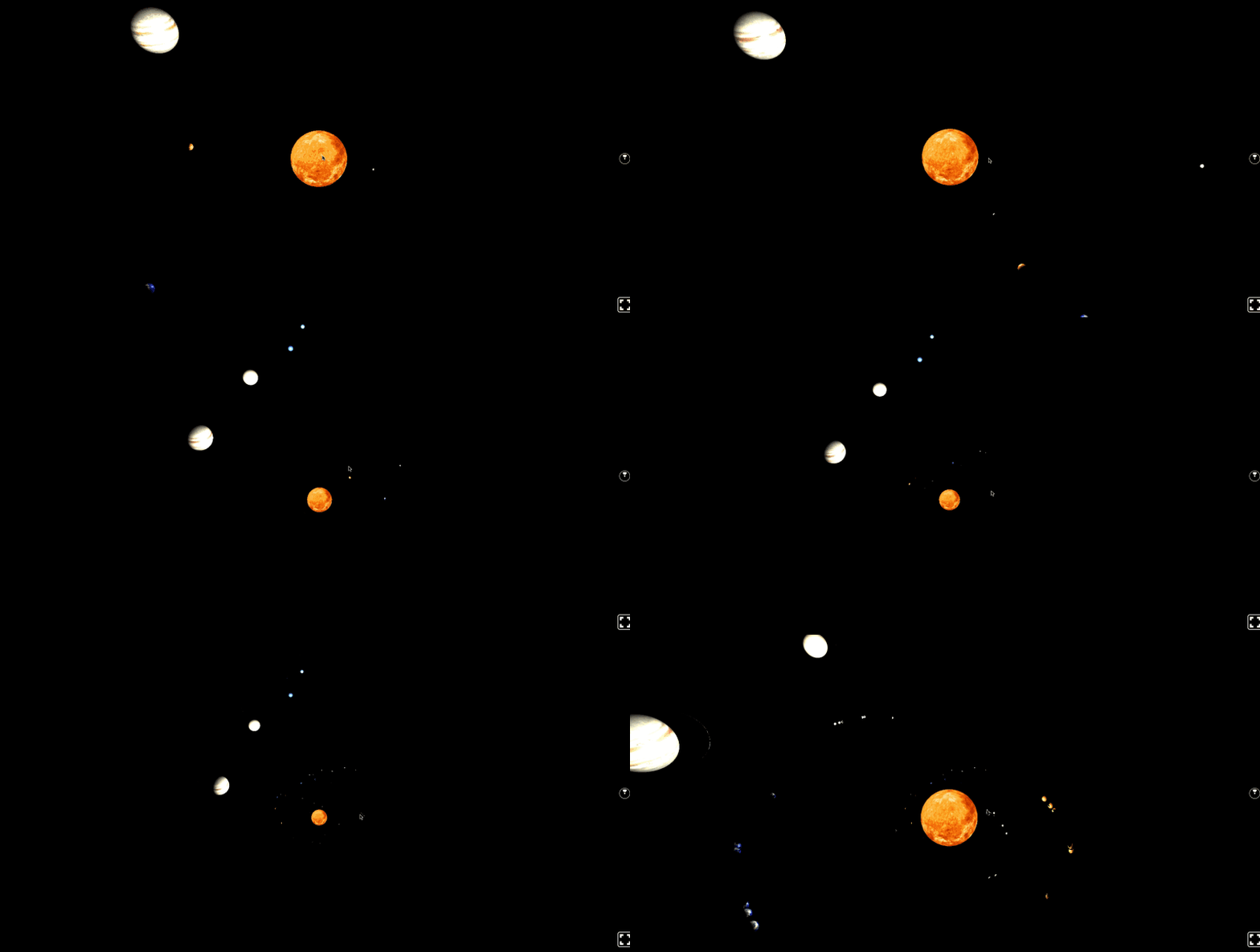
React VR solar system

Hope you’ve enjoyed this brief introduction to React VR. Happy hacking and may the force be with you!

Insights

Learn more about Virtual Reality

cover

Oct 15Article

Multi-Window React Native Apps With the Meta VR Layout SDK

Build multi-window React Native apps for Meta Quest with the Meta VR Layout SDK. Learn shared state, fallbacks, positioning, and simulator testing.

cover

Dec 8Article

Mobile vs. VR: Key Differences in Features, UI, and UX

Explore how VR reshapes layout behavior, typography, spacing, accessibility expectations, and interaction patterns in React Native.

cover

Dec 4Live Stream

React Native on Meta Quest: What We Learned About Building for VR

See Meta Quest used as a practical dev setup and watch the team build and test React Native features directly inside a VR workspace.

cover

Nov 26Podcast

Bringing React Native to VR on Meta Quest

Learn how Meta Quest uses React Native for 2D panels in 3D spaces, why AOSP matters, and how developers can bring existing RN apps to VR with minimal friction.

cover

Nov 20Article

How to Release a React Native App on the Meta Horizon Store

Learn how to build, submit, and publish your React Native app on the Meta Horizon Store.

cover

Nov 6Article

What You Can Build With React Native on Meta Quest

Get React Native app ideas for Meta Quest, inspired by Meta's $1.5M developer competition. Explore VR/MR concepts for meditation, games, and social apps.

cover

Oct 30Article

Using Expo Libraries on Horizon OS: A Guide to Compatibility

Learn how to use Expo libraries for React Native development on Meta's Horizon OS. This guide covers compatibility differences, what works out-of-the-box, and what requires specific alternatives like expo-horizon-core and expo-iap.

cover

Oct 22Article

Getting Started With Expo on Meta Quest

Start building React Native apps for Meta Quest with Expo. This guide details the setup using Expo Go for fast iteration and explains how to use development builds for full native capabilities on Met Horizon OS.

cover

Mar 19Tutorial

The Hard Way vs. The React Native AI SDK Way: Stop Writing Custom Modules for Every Model

Learn how React Native AI uses a unified provider model to switch between cloud and on-device LLMs without rewriting application logic, enabling reliable AI experiences online and offline.

cover

Mar 12Tutorial

Build Smarter Apps: Tool Calling & AI Orchestration Explained

Learn how on-device models in React Native can call tools, interact with external APIs, and return structured outputs you can use directly in application logic.

cover

Mar 5Tutorial

MLC LLM + React Native: On-Device AI Without the Pain

Learn how to run third-party on-device LLMs in React Native using MLC LLM. Choose your models, run them efficiently across platforms, and keep a unified JavaScript API with React Native AI.

cover

Feb 24Tutorial

Intelligent Fallbacks with Apple Intelligence in React Native

Learn how to use Apple’s built-in Foundation Models in React Native apps, reduce memory usage, and enable fast, fully on-device AI with React Native AI Apple.

cover

Feb 10Tutorial

What Is the React Native AI SDK? A Complete Intro & Quickstart

Learn why on-device AI matters for React Native apps, how local LLMs behave offline, and what problems React Native AI is designed to solve from day one.

cover

Jan 29Tutorial

Implementing an Android TurboModule with Kotlin

Learn how to implement a React Native TurboModule on Android, from the TypeScript spec and Codegen to the Kotlin implementation and package registration.

cover

Jan 19Tutorial

Working with Different Threads in Swift TurboModules

Learn how JavaScript, native module, background, and main threads interact in React Native TurboModules, and how to use GCD queues to run async work safely in Swift.

cover

Jan 9Tutorial

How to Add Type-Safe Constants to Swift TurboModules

Learn how to expose typed, immutable constants from a Swift TurboModule using Codegen, and get full end-to-end type safety between native and JavaScript.

cover

Dec 30Tutorial

Adding Event Emitters to Your TurboModule in Swift

Learn how to emit native events from a Swift TurboModule and subscribe to them in JavaScript, including proper memory management and Codegen integration.

cover

Dec 22Tutorial

Writing Your First TurboModule in Swift

Learn how to build a fully working TurboModule in Swift, integrate it with Codegen, and bridge it through Objective‑C inside an Expo app.