
The Story of Rewriting React-Native-Opentok and the Challenges Encountered
Authors

At Callstack we have open source meetings each month. At one of the past meetings we came up the with idea to re-maintain our old project called react-native-opentok, because it was a bit dusty and forgotten. I thought: “Hmm… it should be easy to make it great again.” but after discussing with the team, we decided to rewrite the whole library due to changes in react-native. When working on it, we faced many challenges on both platforms. Finally, we solved all of them :)
This article contains useful steps that you can perform in order to debug and fix real-life issues on a native side.
What is OpenTok?
The OpenTok platform, developed by TokBox, makes it easy to embed high-quality interactive video, voice, messaging, and screen sharing into web and mobile apps.
It is well documented and TokBox provides client and server SDKs for following platforms:
- OpenTok.js (for web developers)
- iOS
- Android
- Windows
Thanks to that we were able to use SDK and wrap it into our react-native module. From a technical side, it provides us with a system to manage sessions, subscribers and publishers. We wanted to bring Android and iOS support. Here are the most annoying issues that we have encountered on each platform respectively while writing clients:
Android: Updating native view doesn’t work
We had a native view which we wanted to update after we connected to a session and received a stream. We were able to connect with a session, add a subscriber to the session, get a stream, but when we tried to add a new view to the existing view after getting the stream, nothing happened. It worked perfectly when we changed the orientation of a device.
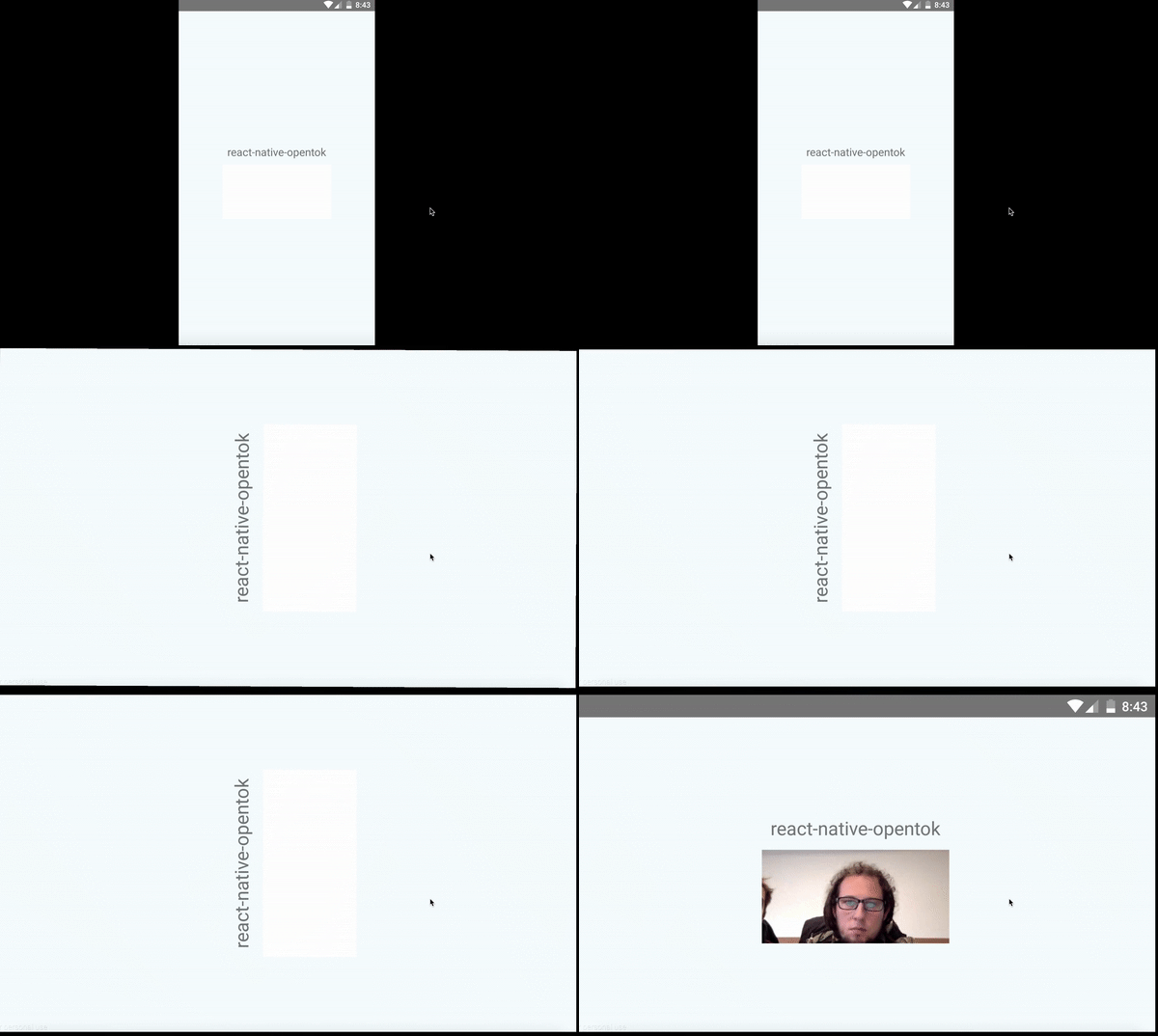
This fact helped us a lot in resolving this issue. I created a button which was changing the size of our view and after a click, I can see the stream on the device. So the solution was simple, I had to request an update of view from the native side. I called the function requestLayout right after I added a view with my stream but with no effect. It forced me to do a little research. I found that the overriding requestLayout method and forcing it to update my view is a perfect solution.
I added this code to my View and now everything works as I expected. View is updated when I call requestLayout on the instance.
iOS: EXC_BAD_ACCESS
One of our goals was supporting multiple sessions. We created a Session Manager using a singleton pattern and had this issue because of that singleton. Our Subscriber view implements SessionDelegate class which means we can set this view as a delegate in session and listen on events i.e. when session receives a stream, session instance invokes method <rte-code>onStreamReceived<rte-code> on pointer to delegate. And everything works perfectly but… I get an error <rte-code>EXC_BAD_ACCESS<rte-code> when refreshing my application using <rte-code>cmd + R<rte-code>. This error means that you are sending a message to an object that has already been released.
When that block of memory is no longer mapped for your application or, put differently, that block of memory isn’t used for what you think it’s used, it’s no longer possible to access that chunk of memory. When this happens, the kernel sends an exception (EXC), indicating that your application cannot access that block of memory (BAD ACCESS).
The worst thing is that the only information which I get with this error is a hex representation of the pointer i.e. <rte-code>0x1933201<rte-code>. Don’t worry, NSZombie comes with help. Thanks to NSZombie Xcode can tell you what object you were trying to access, making the search for the problem that much easier. Enabling zombies in Xcode is very easy.
- Click the active scheme in the top left and choose Edit Scheme.
- Select Run on the left.
- Open the Diagnostics tab at the top.
- Tick the checkbox labeled Enable Zombie Objects.
Now Xcode’s Console will give you more complex message i.e.
Thanks to this information I found my error and realized that when I refresh the application using <rte-code>cmd + R<rte-code> , my singleton instance of session manager is still the same as before reload and still has session objects with a pointer to old subscriberView. One of those session wanted to call a method on a deallocated subscriberView instance. I had to clean all the pointers in subscriberView’s <rte-code>dealloc<rte-code>. So remember when you reload the JS part of the application, a new instance of your native module will be created but if you are using singleton it will be the same instance as before reload.
Summary
As I wrote at the beginning we solved all of our issues but some of them took a lot of time. I think the hardest thing in implementing native modules is that the platforms are totally different and almost always you will meet a problem which exists only on one platform. Sometimes you are not able to standardize your API on both platforms in a native part which forces you to do it in theJS part like i.e. with EventEmitter but I’ll write the next article about this. At this moment I’m happy that I joined the react-native-opentok team and I’m glad to write that the new react-native-opentok library is coming very soon!


